 HoursOwed
For hourly and shift workers, caregivers, nurses
Your hours and overtime,
counted right.
Log split shifts, night shifts and unpaid breaks in a few taps. HoursOwed adds up overtime at 1.5× after 40 hours. Pro turns any pay period into a PDF you can send to your manager.
Try Pro free for 7 days — no card needed. Then choose a plan or stay on Free; your data stays.

| Mon | 8:00–10:00 · 12:00–4:45 | 6:45 |
| Tue | 8:00–6:30 · 30 min break | 10:00 |
| Wed | 8:00–6:30 · 30 min break | 10:00 |
| Thu | 8:00–6:30 · 30 min break | 10:00 |
| Fri | 8:00–6:30 · 30 min break | 10:00 |
| Sat | 10:00 pm – 6:00 am | 8:00 |
Made for the weeks that don’t fit a template
Many weeks don’t fit one shift a day: split shifts, nights, unpaid breaks.
Split shifts
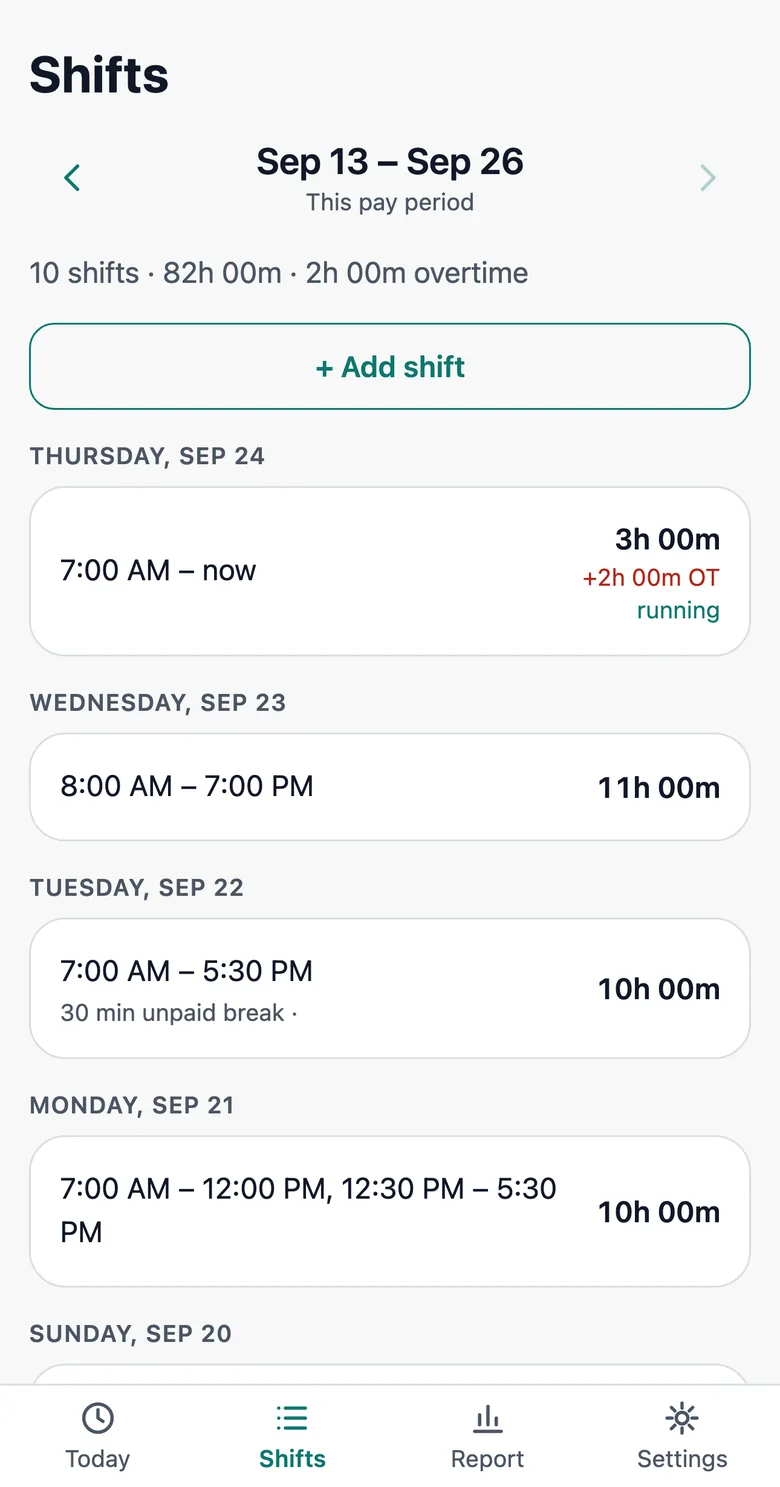
Worked 8–10 in the morning and 12–4:45 in the afternoon? Add both parts to the same day. Overnight shifts count on the day they started.
Overtime without math
Time and a half after 40 hours a week, free. With Pro, daily overtime too: 1.5× after 8 hours a day, or the California setting with 2× after 12 hours (the seventh-day rule is not included).
Pay period report in one tap
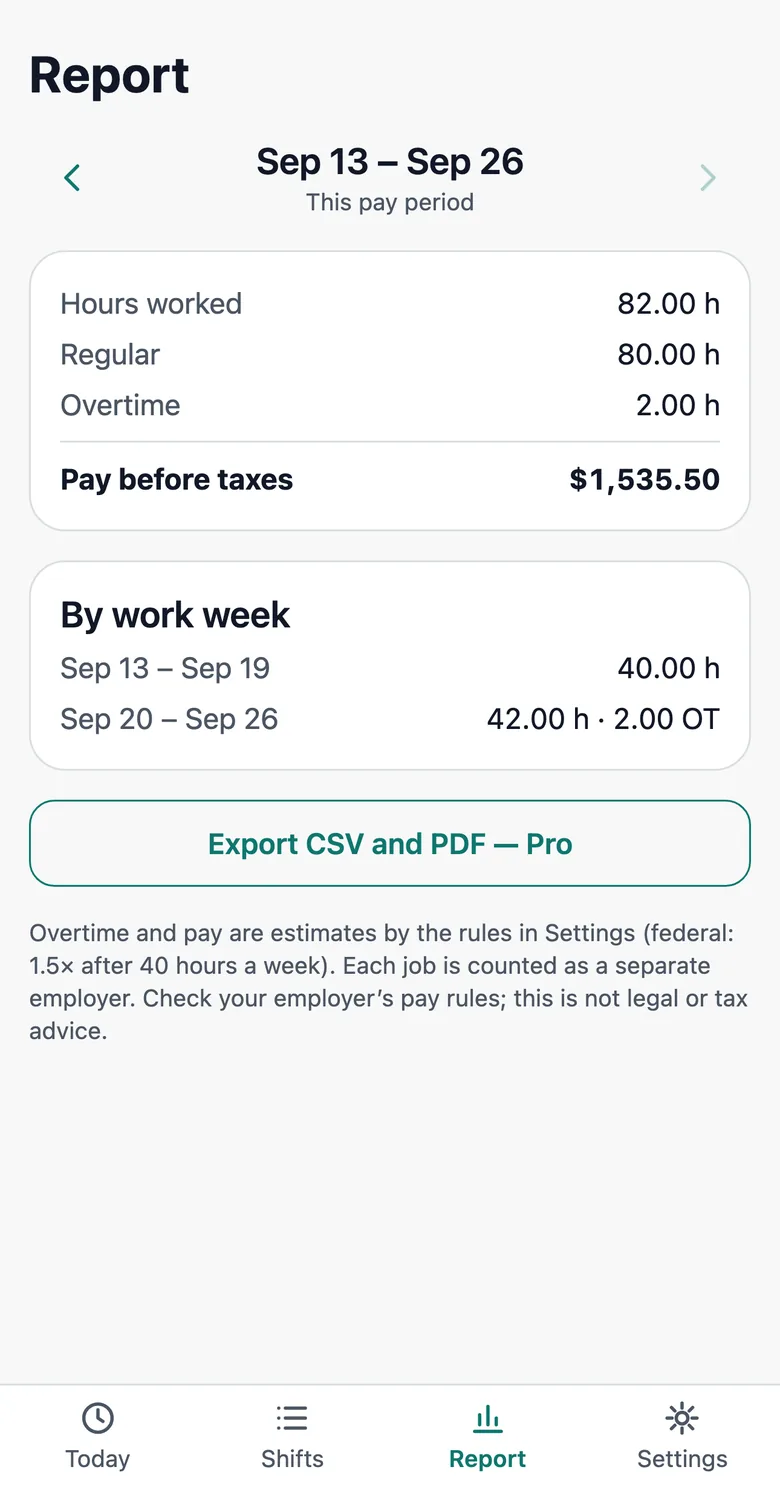
With Pro: a PDF file or CSV for a week, two weeks, half a month or a month, with every shift, break and total.
Your data stays with you
No account, no ads, no cookies. Your shifts are stored on your phone, not on our servers.
Works offline
Add it to your home screen and log shifts with no signal at work. Install it to keep your data: Safari clears website data after 7 days without a visit.
No weekly plans
Free for the basics. Pro is monthly, yearly or a one-time payment, and a subscription can be cancelled any time.
What it looks like
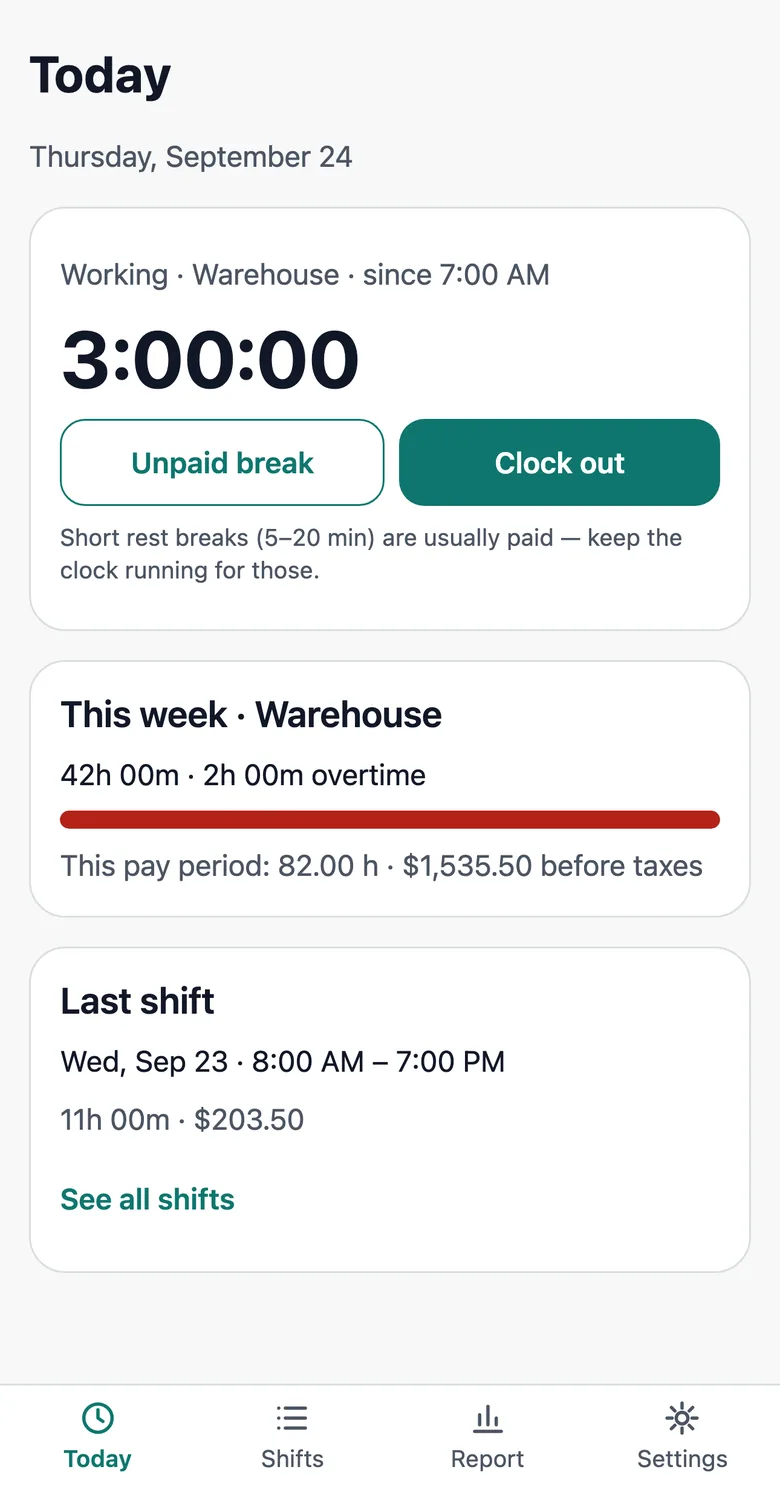
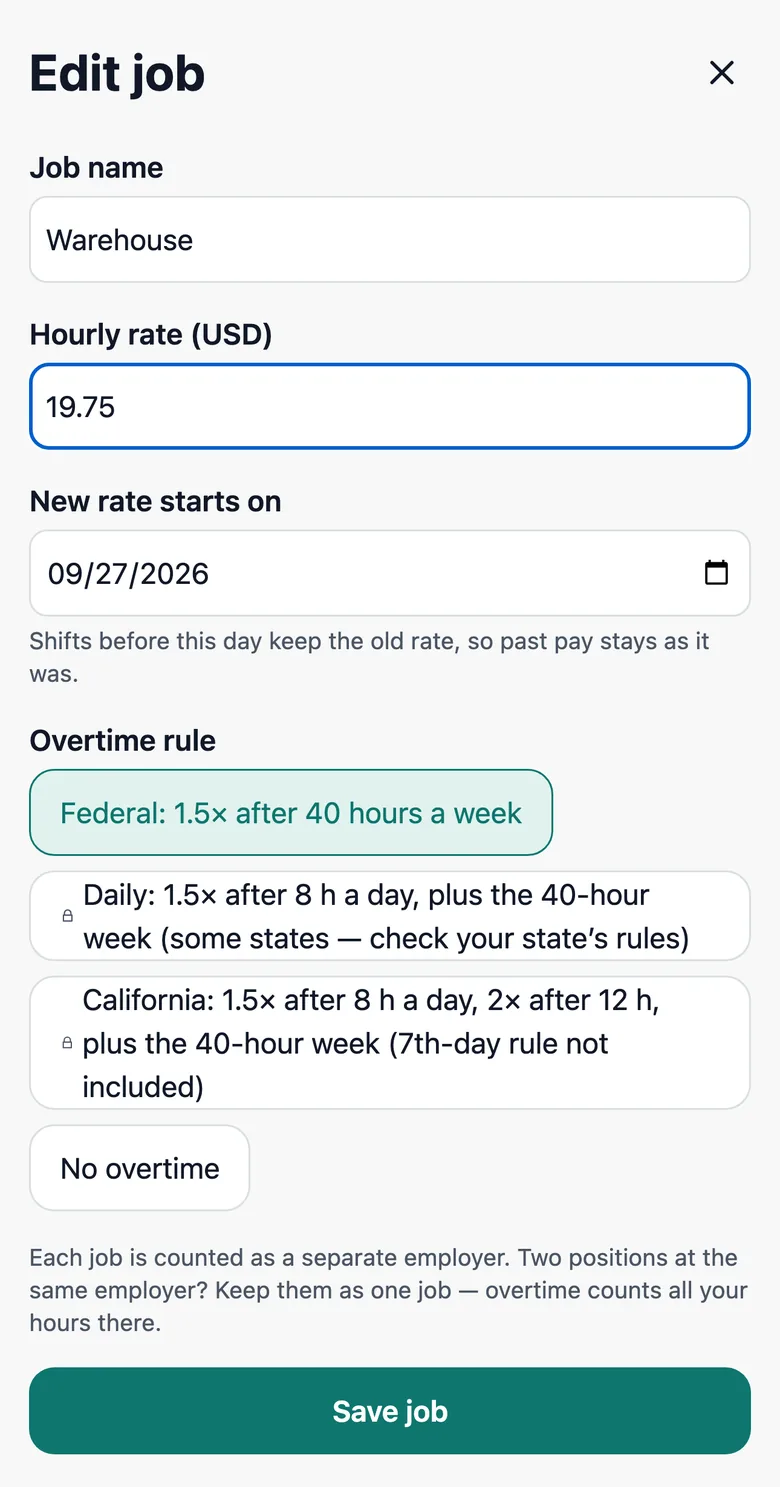
Screens from the app. The job and dates are examples.
Pricing
The time card calculator on this site is free for everyone. In the app, split shifts and weekly overtime are free; Pro adds daily overtime and pay period reports.
Pro monthly
$3.99 / month
- Daily overtime and double time
- PDF and CSV for any pay period
- Renews monthly until you cancel
Pro yearly Save 58%
$19.99 / year
- Everything in Pro
- $1.67 a month
- Renews yearly until you cancel
Lifetime
$39.99 once
- Everything in Pro, including updates
- One payment, no renewals
- For the web app; an App Store version will be sold separately
Try Pro free for 7 days — no card needed. Then choose a plan or stay on Free; your data stays. Prices in USD. Payments are handled by Gumroad, which acts as the seller of record and adds sales tax or VAT where it applies.
Questions
Do I need an account?
No. Open the app and start logging; add your hourly rate whenever you like. After you buy Pro, Gumroad shows your license key on the receipt page and emails it to you. Paste it into the app to unlock Pro.
Where are my shifts stored?
On your device only. We do not run a server that stores your hours. Add the app to your home screen so Safari does not clear its data, and export a CSV from time to time as a backup.
How do I cancel?
Use the “Manage membership” link in your Gumroad receipt email, or “Manage or cancel subscription” in the app’s Settings after you enter your key. You keep Pro until the end of the period you paid for. Lifetime is a one-time payment with nothing to cancel.
What if my hourly rate changes?
Set the new rate and the date it starts. Earlier pay periods keep the rate you had then; nothing is recalculated backwards.
I travel for work. Will my hours shift?
No. Pick your work time zone once, and trips to other time zones do not move shifts in past weeks.
Which overtime rules does it follow?
Weekly overtime after 40 hours at 1.5×, as in the federal FLSA. With Pro, daily overtime: 1.5× after 8 hours a day, or the California setting with 2× after 12 hours. The seventh-day rule and other special state rules are not calculated. It is a tracking tool, not legal or payroll advice.