
The goal of the move. Apps built in Lovable keep their data in Lovable Cloud. The demo's goal was to move that database to a new Supabase project, with every table, row and user account. A move like this gives the owner the app's database in their own Supabase account.
Moving the data. The new project holds the app's entire database, built from a single export file. Lovable exports the whole database as a full backup in the standard pg_dump format. The file is binary and compressed, so for the SQL Editor it was split into schema, data and permissions. Each part was cut into pieces of about 15 KB, so the editor could run each piece in one go. All the pieces ran in order in the new project's SQL Editor.
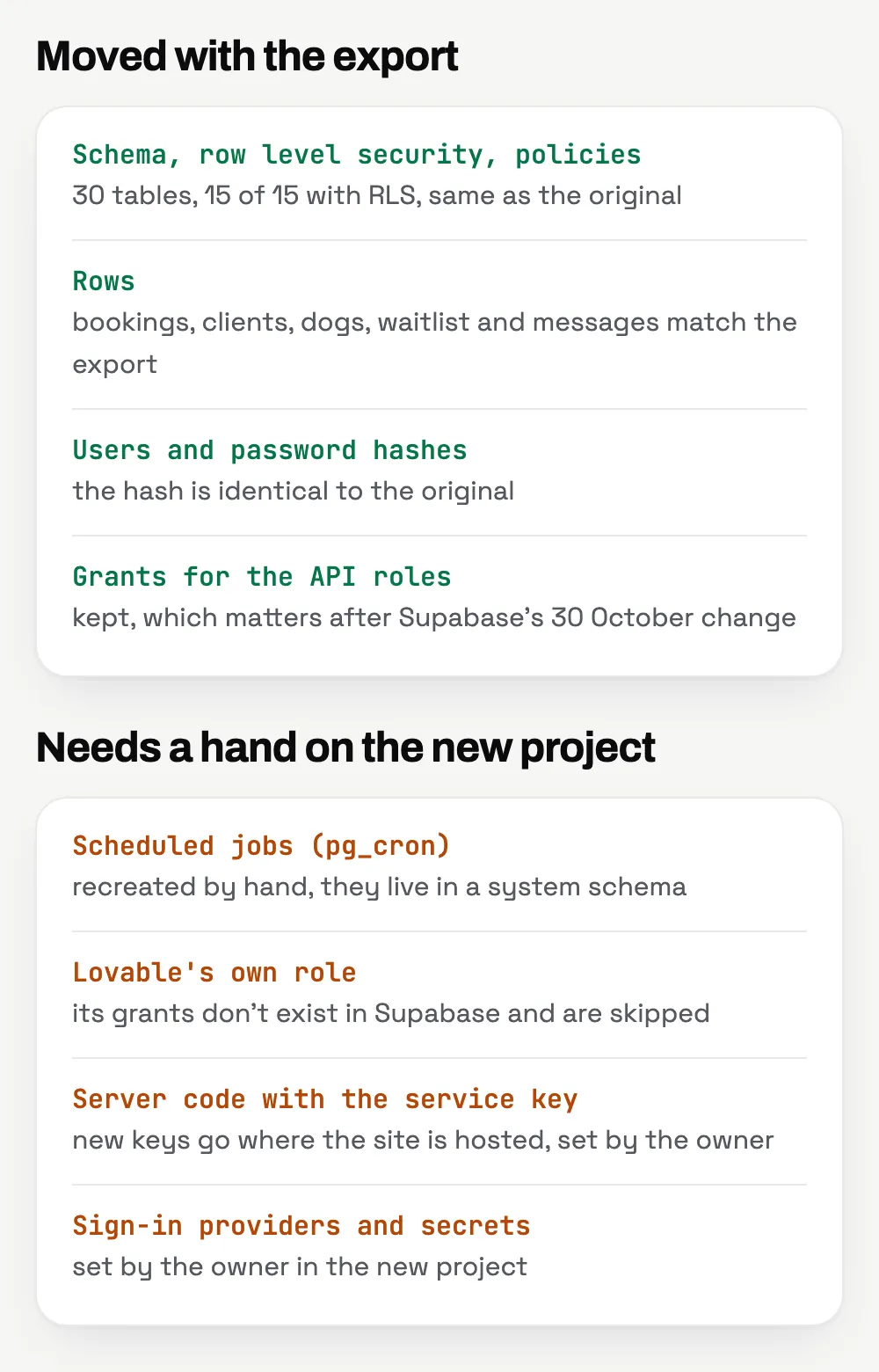
Matching the original. The schema and rows of the new database matched the original in full, for every checked table. The tables and their rows were counted with SQL queries on both sides, in the original database and in the new project. Data access rules, links between tables and file storage matched along with the schema. For example, the clients table matched 25 of 25 records. The app's own database function also works in the new project after the move. The demo tables in the new project show this, since the function filled them with data itself.
Setup in the new project. Scheduled jobs run in the new project as well, because they are recreated there. The app's server code connects to the new project with new keys. The owner sets these keys on the hosting where the site runs.
Moving your app. All passwords and keys for your new project remain under your control, since you enter them yourself. Your app moves to the new database as the final step, in your own Supabase account and on your hosting.
The order covers moving the schema, data, users and file storage, with every table checked against the original. Along with the move, you get a verification report and a list of the setup steps in the new project. You get a price and timeline once you describe the project. You pay in stages, each one after you approve it. AI drafts the code in Claude Code, Anthropic's AI coding tool. Luna, who runs Flow Lab projects, handles the checks and the data comparisons. Work on the move starts 2 business days after you confirm the order. The quote for your move holds for 7 days. After the move, you can add support for $150 a month, which covers up to 6 hours of work. Support requests get a reply within one business day. Support is billed monthly, so you can cancel it month to month.